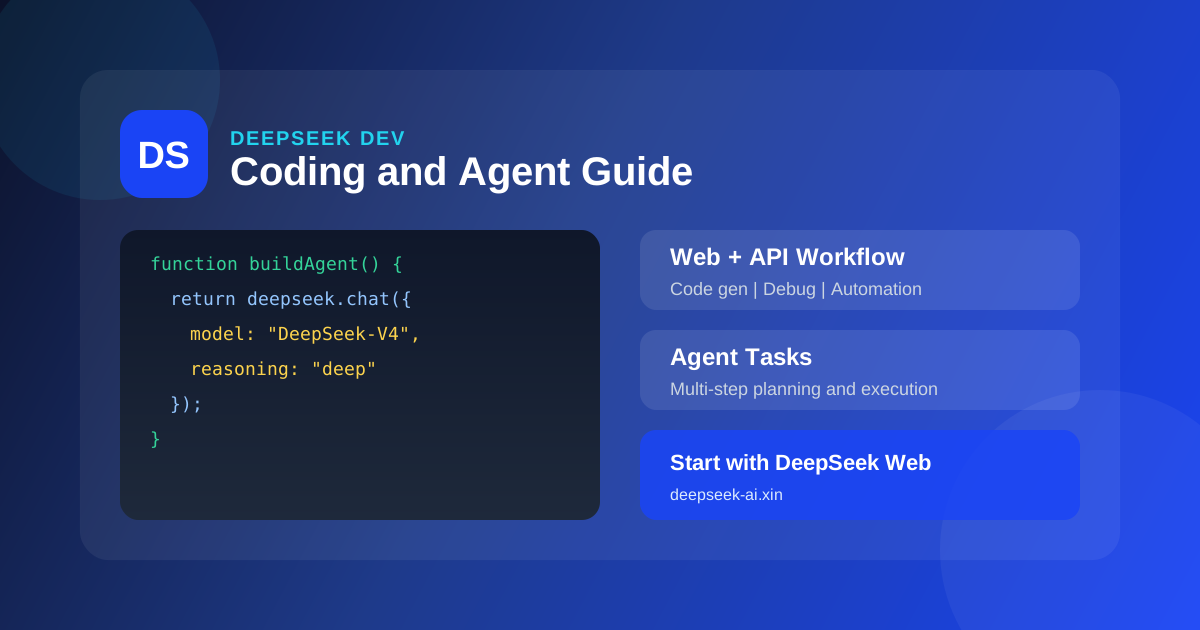
DeepSeek प्रोग्रामिंग और Agent व्यावहारिक गाइड: वेब सहयोग, कोड जनरेशन और ऑटोमेशन वर्कफ़्लो
- DeepSeek
- DeepSeek प्रोग्रामिंग
- Agent
- DeepSeek-V4
जब डेवलपर DeepSeek, DeepSeek प्रोग्रामिंग या DeepSeek Agent खोजते हैं, तो अक्सर वे केवल अवधारणा नहीं — बल्कि लागू करने योग्य AI-सहायता विकास विधि चाहते हैं। Agentic Coding और STEM reasoning में DeepSeek की ताकत इसे IDE के बाहर अत्यंत उपयोगी «दूसरा डेवलपर मस्तिष्क» बनाती है। यह लेख DeepSeek प्रोग्रामिंग व्यवहार पर केंद्रित है: DeepSeek वेब संस्करण से विचारों की त्वरित पुष्टि से API एकीकरण और Agent ऑटोमेशन तक — ताकि आप कुशल, पुन: उपयोग योग्य AI विकास वर्कफ़्लो बना सकें।
DeepSeek प्रोग्रामिंग और Agent परिदृश्यों के लिए क्यों उपयुक्त?
DeepSeek सामान्य चैट टूल का सरल रूप नहीं है; प्रोग्रामिंग परिदृश्यों में इसकी कई महत्वपूर्ण क्षमताएँ हैं:
- DeepSeek-V4 / V4-Pro दोहरा मॉडल: जटिल आर्किटेक्चर डिज़ाइन के लिए Pro, दैनिक completion और व्याख्या के लिए Flash या मानक V4
- तीन reasoning तीव्रता स्तर: Debug और एल्गोरिदम प्रश्नों के लिए «गहन reasoning» चालू करें, पूर्ण thinking chain दिखाएँ
- 10 लाख token कॉन्टेक्स्ट: पूरा repo, लंबे logs, बहु-फ़ाइल PR एक बार में लोड
- Agent बहु-चरण निष्पादन: योजना, टूल कॉल, पुनरावृत्त सुधार — «जूनियर AI इंजीनियर» के करीब
- अत्यंत प्रतिस्पर्धी API मूल्य: उच्च-आवृत्ति कॉल और CI एकीकरण के लिए उपयुक्त
केवल छोटे कॉन्टेक्स्ट वाले टूल की तुलना में DeepSeek लंबे codebase समझ और बहु-राउंड Debug में स्पष्ट लाभ रखता है। कई टीमें पहले DeepSeek वेब संस्करण में prompt और कार्य विभाजन सत्यापित करती हैं, फिर API में migrate — यह सबसे कम लागत, सबसे तेज़ iteration पथ है।
DeepSeek वेब संस्करण: प्रोग्रामिंग कार्यों का हल्का प्रवेश
IDE प्लगइन या API कॉन्फ़िगर करने से पहle, DeepSeek वेब संस्करण प्रोग्रामिंग विचार सत्यापित करने का सर्वोत्तम sandbox है:
- error stack और संबंधित code snippets चिपकाएँ, root cause खोजने और patch देने को कहें
- architecture description या OpenAPI doc अपलोड करें, client SDK skeleton generate करें
- गहन reasoning मोड से security vulnerabilities और edge cases review करें
- वेब में सत्यापित prompt templates टीम Wiki या API कॉल में कॉपी करें
DeepSeek वेब संस्करण और local IDE का संयोजन: वेब «बड़े reasoning और समाधान डिज़ाइन» के लिए, IDE «fine-grained editing और test चलाने» के लिए। दोनों मिलकर problem से PR तक का चक्र काफी छोटा करते हैं।
वेब vs API: प्रोग्रामिंग परिदृश्य में कैसे चुनें?
| परिदृश्य | अनुशंसित प्रवेश | कारण |
|---|---|---|
| एक बार Debug, एल्गोरिदम व्याख्या | DeepSeek वेब संस्करण | शून्य कॉन्फ़िग, reasoning तुरंत दिखाई दे |
| code review, architecture चर्चा | DeepSeek वेब संस्करण | लंबा कॉन्टेक्स्ट paste सुविधाजनक, manual oversight |
| CI auto Review, batch unit test generation | DeepSeek API | scriptable, pipeline में embed |
| उत्पाद में embedded AI | DeepSeek API | स्थिर SLA और auth चाहिए |
| टीम prompt सह-निर्माण | DeepSeek वेब संस्करण | non-technical भी iteration में भाग ले सकते हैं |
यदि DeepSeek वेब संस्करण के बुनियादी operations से परिचित नहीं, पहले DeepSeek वेब संस्करण ऑनलाइन उपयोग पूर्ण गाइड पढ़ें।
DeepSeek कोड जनरेशन: completion से module-level implementation तक
1. output contract स्पष्ट करें
DeepSeek को कार्य describe करते समय शामिल करें:
- भाषा और संस्करण (जैसे Python 3.11, TypeScript 5.x)
- input/output format (function signature, JSON Schema)
- constraints (third-party libs निषेध, Windows compatible, आदि)
- acceptance criteria (unit test cases या sample input/output)
prompt structure उदाहरण:
भूमिका: senior {भाषा} engineer
कार्य: {फ़ंक्शन} implement करें
constraints: {performance/security/style}
output: पूर्ण runnable code + संक्षिप्त व्याख्या
स्पष्ट contract मिलने पर DeepSeek का generated code executable rate अस्पष्ट description से काफी ऊँचा होता है।
2. जटिल फ़ीचर step-by-step generate करें
200+ lines modules के लिए «एक बार में सब लिखो» न कहें। अनुशंसित flow:
- DeepSeek से directory structure और interface definitions output करवाएँ
- file-by-file implement करें unit tests के साथ
- integration phase में dependencies और config handle करें
DeepSeek वेब संस्करण multi-turn dialogue पिछले interface agreements याद रखता है; API integration में messages में पूर्ण context रखें या system prompt में norms fix करें।
3. गहन reasoning से Code Review
गहन reasoning चालू करके DeepSeek से इन dimensions पर review करवाएँ:
- logical correctness और edge cases
- time/space complexity
- security (injection, sensitive data leak)
- maintainability (naming, module division)
यह केवल «Bug है या नहीं» से code quality बेहतर बढ़ाता है।
DeepSeek Agent: बहु-चरण ऑटोमेशन व्यवहार
Agent DeepSeek की core capability है जो सामान्य completion tools से अलग करती है: model केवल जवाब नहीं — steps plan, subtasks execute, feedback से correct करता है।
Agent typical workflow
| चरण | DeepSeek Agent व्यवहार | manual intervention points |
|---|---|---|
| 1. requirements समझ | executable subtasks में विभाजन | scope और priority confirm |
| 2. context retrieve | code, docs, logs पढ़ना | business rules supplement |
| 3. plan generate | implementation plan और risks output | approve या adjust |
| 4. changes execute | patch या scripts generate | tests run, PR merge |
| 5. verify iterate | failed cases से फिर fix | final acceptance |
परिदृश्य 1: automated Bug fix
input: Issue description + failed test + related file paths। DeepSeek Agent:
- failure cause reproduce कर सकता है
- 2–3 fix options trade-off के साथ suggest
- patch और regression test suggestions generate
DeepSeek वेब संस्करण में पहle flow चलाएँ, फिर messages template API में fix करें।
परिदृश्य 2: requirements से API scaffold
product requirements → REST API: DeepSeek routes design, Pydantic/Zod models, OpenAPI snippets और basic CRUD output कर सकता है। 1M token context के साथ existing monorepo style consistency रखें।
परिदृश्य 3: docs और code sync
code change के बाद DeepSeek से diff compare कर README, CHANGELOG, inline comments update करवाएँ — documentation drift कम, open source और internal platform teams के लिए उपयुक्त।
परिदृश्य 4: data scripts और ETL
data source, cleaning rules, target table structure describe करें — DeepSeek SQL / pandas / Spark scripts generate करता है। complex pipelines staged generate कर manual review nodes embed करें।
परिदृश्य 5: legacy code सीखना और refactor
legacy module load करें, DeepSeek से call graph, risk points, gradual refactor path — गहन reasoning mode «तब ऐसा क्यों लिखा» explain करने के लिए विशेष रूप से उपयुक्त।
DeepSeek API integration मुख्य बिंदु
DeepSeek वेब संस्करण verify होने के बाद scale के लिए API connect करें:
| parameter | सुझाव |
|---|---|
| model | daily V4-Flash; complex V4-Pro |
| reasoning tier | Debug/algorithms deep; summary fast |
| context | ultra-long repo पहle directory summary, फिर file-by-file inject |
| streaming output | UX improve, early cancel |
| error retry | 429/5xx exponential backoff |
DeepSeek API pricing industry में अत्यंत कम — high-frequency Agent loops के लिए उपयुक्त — पर token limits और cache strategy set करें, runaway calls से बचें।
DeepSeek प्रोग्रामिंग प्रभाव बढ़ाने के 5 tips
- context numbering: multi-file paste में
// file: src/foo.tstag — DeepSeek reference आसान - diff format माँगें: Review में unified diff specify — direct apply
- team prompt library fix: वेब trial के बाद API system prompt के रूप में
- test-driven: पहle failing test, फिर implementation — hallucination कम
- sensitive data de-identify: logs/code में keys, PII placeholders से replace
अक्सर पूछे जाने वाले प्रश्न
क्या DeepSeek वेब संस्करण IDE plugin replace कर सकता है?
पूर्णतः नहीं। वेब reasoning, solutions, long context analysis में strong; IDE plugins realtime completion, symbol navigation में। best practice: दोनों combine।
DeepSeek प्रोग्रामिंग कौन-सी भाषाएँ support?
मुख्य भाषाएँ (Python, JavaScript/TypeScript, Go, Rust, Java, C++ आदि) अच्छी। language और framework version declare accuracy बढ़ाता है।
Agent task fail हो तो?
task scope narrow, failed logs supplement, DeepSeek से step-by-step intermediate state output। गहन reasoning mode reasoning chain दिखाता है — prompt issues locate।
DeepSeek vs ChatGPT प्रोग्रामिंग में कैसे चुनें?
ChatGPT plugin ecosystem rich; DeepSeek long context, reasoning benchmarks, API cost में stronger। professional dev और large-scale API scenarios में DeepSeek पहle evaluate करें।
संबंधित पठन
- DeepSeek वेब संस्करण ऑनलाइन उपयोग पूर्ण गाइड: browser entry और core features
- 2026 AI बड़े मॉडल ट्रेंड: DeepSeek industry positioning
- DeepSeek पूर्ण शुरुआती गाइड: शून्य से सभी features
- DeepSeek vs ChatGPT: selection reference
DeepSeek Agentic Coding को lab से daily development में ला रहा है। individual developer या platform team — DeepSeek वेब संस्करण में एक Debug dialogue से शुरू करें, धीरे-धीre अपनी टीम का DeepSeek प्रोग्रामिंग और Agent workflow बनाएँ।
Validate on the related app site
Open this sites related independent app (app.deepseek-ai.xin) to verify the approach above, or use DeepSeek official chat at chat.deepseek.com.